Event tickets
Prevent scalpers from bulk-buying — Selling tickets through Shopify? Limit each customer to 1 or 2 tickets to prevent scalping. Works with checkout validation so the limit cannot be bypassed.
Max 2 per product

Concert VIP Pass
Sat, June 15
Qty: 5
$750.00
Limit exceeded
Max 2 tickets per customer. Remove 3.
Why merchants need this
The challenge and how Nex MOQ solves it
Without order limits
Scalpers use bots and multiple accounts to buy dozens of tickets, then resell at 3x the price. Your actual fans can't get tickets at face value, and your event's reputation suffers.
With Nex MOQ
Nex MOQ enforces a per-product maximum at checkout level — not just the cart page. Add AND conditions like Customer logged in AND Product = "VIP Pass" for tighter control. Even if someone manipulates the cart, checkout validation catches it. Set max 2 tickets per customer and scalpers are blocked.
How to set it up
No code required. Just create a rule and activate it.
Create a rule with type "Maximum quantity per product"
Set the maximum to 2 (or 1 for VIP)
Scope to your ticket products
Enable checkout validation — this is critical for anti-scalping
No credit card required · Works on all Shopify plans
Related use cases
Explore similar scenarios merchants are solving with Nex MOQ
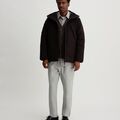
Air Max Limited
Size 10 / Black
$567.00
Limit 1 per customer. Remove 2 items.
Limited edition drops
Stop resellers from buying all stock
Max 1 per product
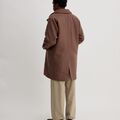
Summer Sale Hoodie
60% OFF
$127.92
Flash sale: max 3 per customer. Remove 5.
Flash sale purchase limits
Fair access during promotions
Max 3 per product · During sale period

Organic Hemp Tote
Eco Collection
$119.96
Fair access: max 2 per person. Remove 2.
Ethical fashion limits
Fair access for all customers
Max 2 per product
Ready to enforce order limits?
Start your free trial. No code required. Works on all Shopify plans.

Plans from $9.99/month after free trial · Free for dev stores