Limited edition drops
Stop resellers from buying all stock — High-demand sneaker drops, collectibles, or artist collaborations sell out in minutes. Cap each customer to 1 unit so real fans get a fair shot — resellers are blocked at checkout.
Max 1 per product
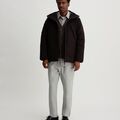
Air Max Limited
Size 10 / Black
Qty: 3
$567.00
Limit exceeded
Limit 1 per customer. Remove 2 items.
Why merchants need this
The challenge and how Nex MOQ solves it
Without order limits
Your limited drop sells out in 90 seconds — and 80% of the stock went to 3 resellers. Real fans are left empty-handed, and your brand takes a reputation hit on social media.
With Nex MOQ
Set a maximum quantity of 1 per product with Nex MOQ. Add AND conditions for more control — e.g., Collection = "Limited Drops" AND Country = specific regions. When a reseller tries to add 3 units to their cart, checkout is blocked with a clear message.
How to set it up
No code required. Just create a rule and activate it.
Create a rule with type "Maximum quantity per product"
Set the maximum to 1
Scope to your limited edition collection or specific products
Activate before the drop goes live — the rule enforces instantly
No credit card required · Works on all Shopify plans
Related use cases
Explore similar scenarios merchants are solving with Nex MOQ
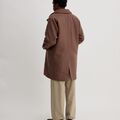
Summer Sale Hoodie
60% OFF
$127.92
Flash sale: max 3 per customer. Remove 5.
Flash sale purchase limits
Fair access during promotions
Max 3 per product · During sale period

Organic Hemp Tote
Eco Collection
$119.96
Fair access: max 2 per person. Remove 2.
Ethical fashion limits
Fair access for all customers
Max 2 per product

Concert VIP Pass
Sat, June 15
$750.00
Max 2 tickets per customer. Remove 3.
Event tickets
Prevent scalpers from bulk-buying
Max 2 per product
Ready to enforce order limits?
Start your free trial. No code required. Works on all Shopify plans.
Plans from $9.99/month after free trial · Free for dev stores