SKU-based quantity restrictions
Limit specific variants by SKU pattern — Target products by variant SKU using AND conditions. When a SKU contains "LIMIT" AND the quantity exceeds 2, block checkout. Perfect for restricting high-demand or controlled variants without affecting the rest of your catalog.
Variant SKU contains "LIMIT" AND Qty > 2
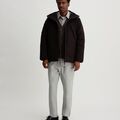
Limited Edition Variant
SKU: LIMIT-BLK-M
Qty: 4
$199.96
Limit exceeded
Max 2 for limited SKUs. Remove 2.
Why merchants need this
The challenge and how Nex MOQ solves it
Without order limits
Some product variants need quantity limits but others don't. You can't apply a blanket max to the whole product without restricting the variants that should be freely purchasable.
With Nex MOQ
Nex MOQ's SKU condition targets variants by pattern. Set "Variant SKU contains LIMIT" AND "Quantity > 2" to restrict only the flagged variants. Other variants of the same product remain unrestricted.
How to set it up
No code required. Just create a rule and activate it.
Create a rule with type "Maximum quantity per product"
Set the maximum to 2
Add condition: Variant SKU contains "LIMIT"
The rule only fires for matching SKUs — other variants are unaffected
No credit card required · Works on all Shopify plans
Related use cases
Explore similar scenarios merchants are solving with Nex MOQ
Air Max Limited
Size 10 / Black
$567.00
Limit 1 per customer. Remove 2 items.
Limited edition drops
Stop resellers from buying all stock
Max 1 per product
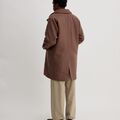
Summer Sale Hoodie
60% OFF
$127.92
Flash sale: max 3 per customer. Remove 5.
Flash sale purchase limits
Fair access during promotions
Max 3 per product · During sale period

Premium Brand Widget
Vendor: Premium Brand
$34.99
Min 3 for Premium Brand products. Add 2 more.
Vendor-specific rules
Premium brand minimums with conditions
Product vendor = "Premium Brand" AND Cart qty < 3
Ready to enforce order limits?
Start your free trial. No code required. Works on all Shopify plans.
Plans from $9.99/month after free trial · Free for dev stores